Firewall
Overview
A firewall is a security system that controls malicious network traffic according to rules defined by the user. Using BotManager's firewall is the first stage of user verification.
It operates independently of policy or filter verification, and unconditionally blocks or allows access requests with attributes (IP, Country, ASN) specified by the user.
The firewall filters access requests using block lists and allow lists pre-configured by the user. When using firewall verification, you must specify targets to block or allow in each list.
Key Concepts
How It Works
The firewall verification processing flow is as follows.
What is a Block List?
A function that unconditionally blocks targets specified by the user, operating like a blacklist.
You can view indicators visualizing blocking performance from the firewall at Domain Home.
What is an Allow List?
The opposite concept of a block list, it is a whitelist that unconditionally allows targets with those attributes.
Since it takes precedence over the block list, it is suitable for use as a function to apply individual exception handling for IP groups or countries that have been blocked on a wide scale.
If the user registers the same target in both lists, the firewall considers that identifier as an allow target.
Usage
Users can specify targets to block/allow through shared resource-based group addition or direct addition.
When adding individual items directly, you can add up to 1,000 items.
To specify shared resources, select the checkbox of the desired list and save. For more details on shared resources, see Shared Resources.
After completing list selection, changes, or additions, you must click the Save button for the changes to take effect.
IP Block/Allow
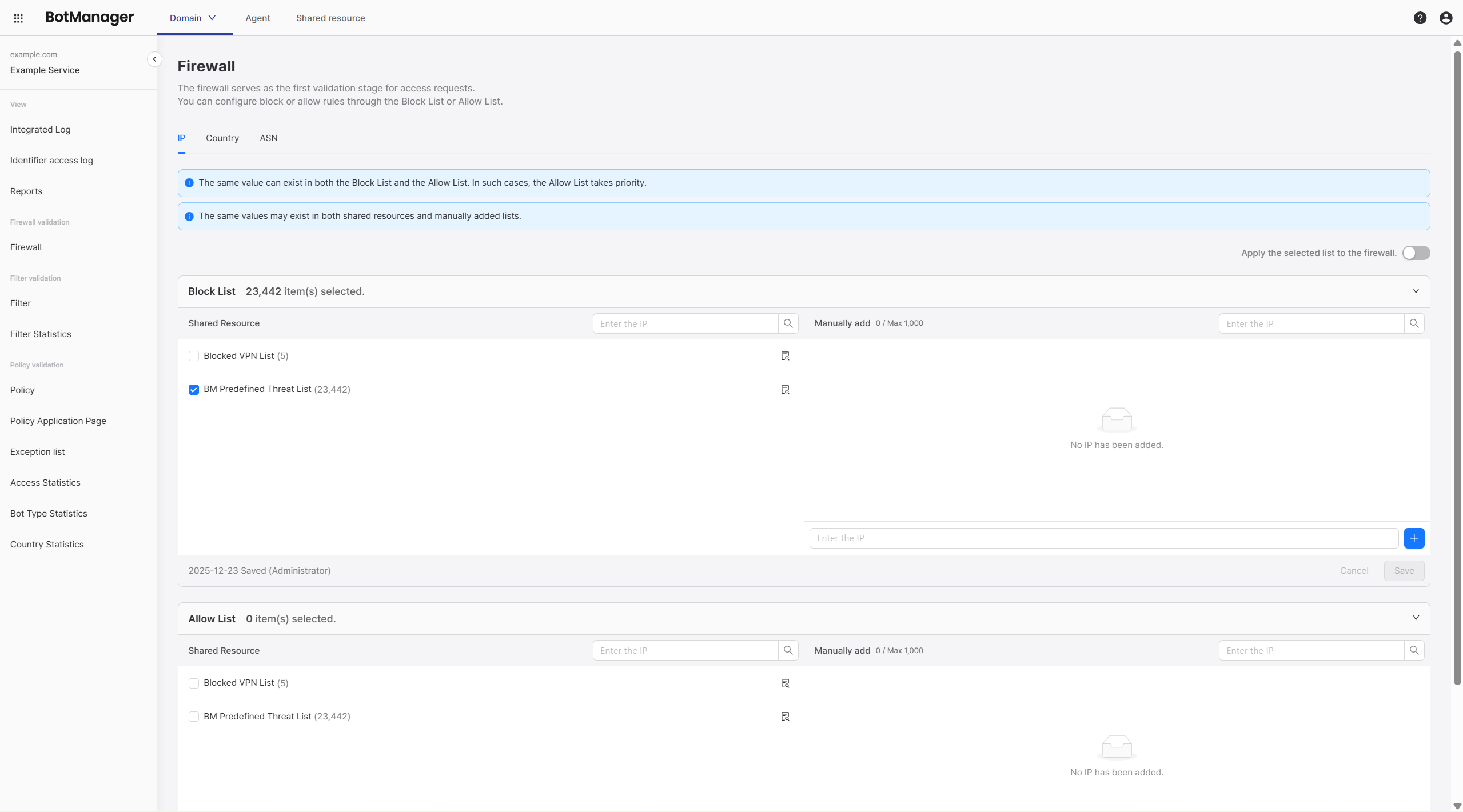
Immediately blocks or allows access requests from the specified IP address.
BotManager provides a threat IP list of approximately 23,000 IPs estimated to be malicious. If you do not want to use this list, uncheck the checkbox.
Use Cases
- (Block List) When you have IPs that you want to definitively block in advance (e.g., shared resource threat IP list, etc.)
- (Block List) When you want to apply the block IP list from an existing domain service to BotManager as well
- (Allow List) When you have blocked a wide range of targets due to specific country or ASN blocking but want to allow access for specific users
Country Block/Allow
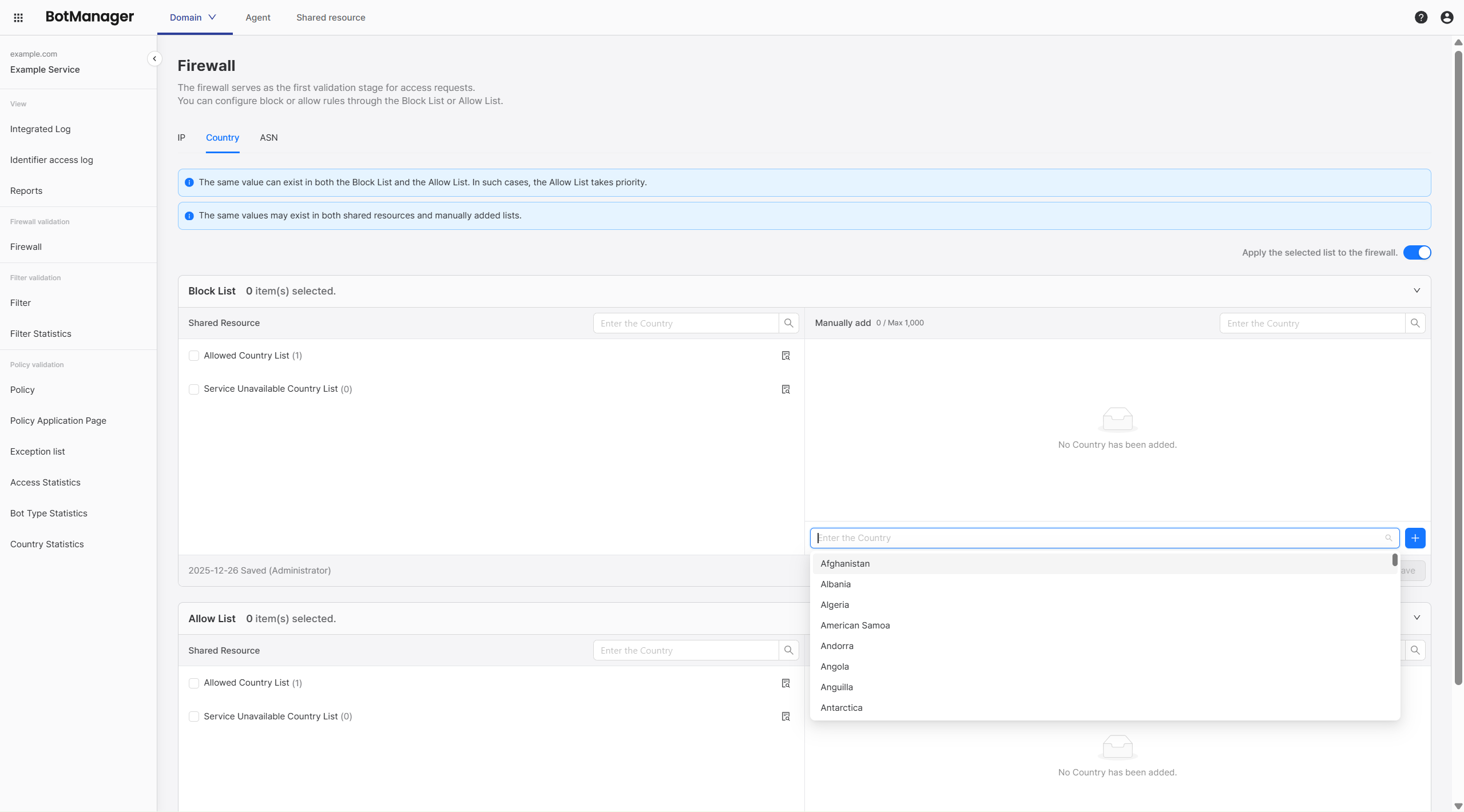
Immediately blocks or allows access requests from the specified country.
BotManager does not provide a default block country list separately. To use this feature, specify targets directly in the input field on the right.
Use Cases
- (Block List) When you cannot provide services to specific countries due to political/technical reasons
- (Allow List) When you want to always allow access for users from specific countries
If you want to block foreign IP access in bulk, refer to Policy Verification rather than blocking in the firewall.
ASN Block/Allow
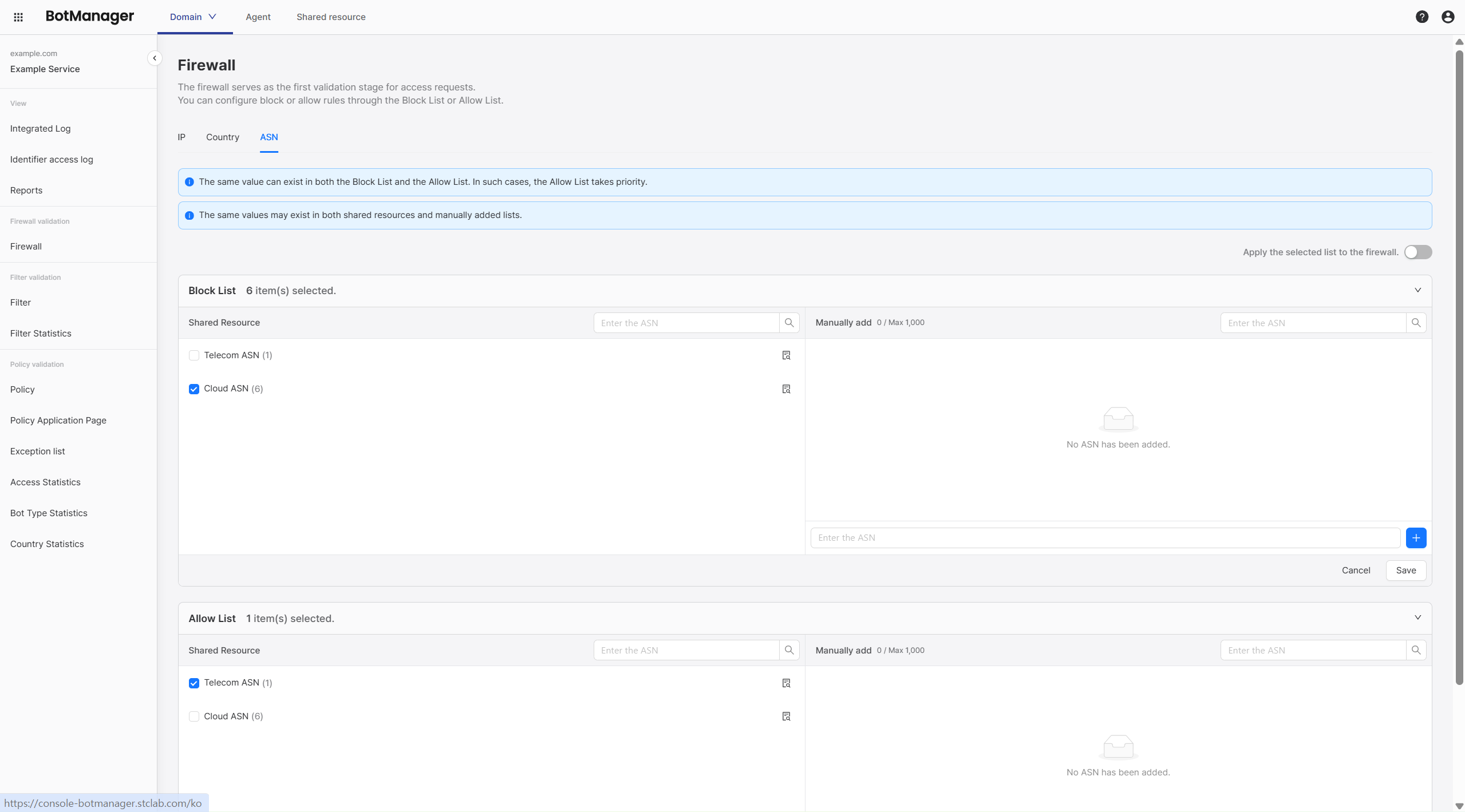
AS (Autonomous System) is an IP network unit operated by one organization with the same routing policy. Telecommunications companies or school/company organizations that own independent networks are typical examples.
ASN (Autonomous System Number) is a unique number used to identify such autonomous systems. When blocking a specific ASN, you block the entire IP range rather than individual IP addresses.
If multiple IPs from a specific network are determined to be threatening, you can take quick action with ASN blocking instead of blocking individual IPs.
BotManager does not provide an ASN block list separately. To use this feature, specify targets directly in the input field on the right.
Use Cases
- (Block List) When you want to block traffic from a specific cloud
- (Allow List) When you want to always allow traffic from a specific organization
If you set the block list too broadly in firewall verification, even normal users may be blocked. For more detailed and analytical verification, consider using Stage 2 Filter Verification and Stage 3 Policy Verification together rather than overusing firewall blocking.